Loudroom
For Spotify, Apple Music, YouTube and everything else

Make your music
hit harder.

Loudroom gives your Mac the sound it's missing: bass you can feel, volume up to 400% and a wide 3D stage. It works on whatever is playing.

7 days free, every feature. macOS 14.2 or later.

Tap either one to hear the difference. Sound on.

Boost
100%FLAT
3D

Or play it yourself: pick a preset and turn the knob. This is a demo in your browser. The app does it to everything on your Mac.
What you get

Your Mac was holding back.

Laptop speakers are thin and the volume slider stops too early. Loudroom sits in the menu bar and fixes both.

+6 dB

Bass that actually shows up

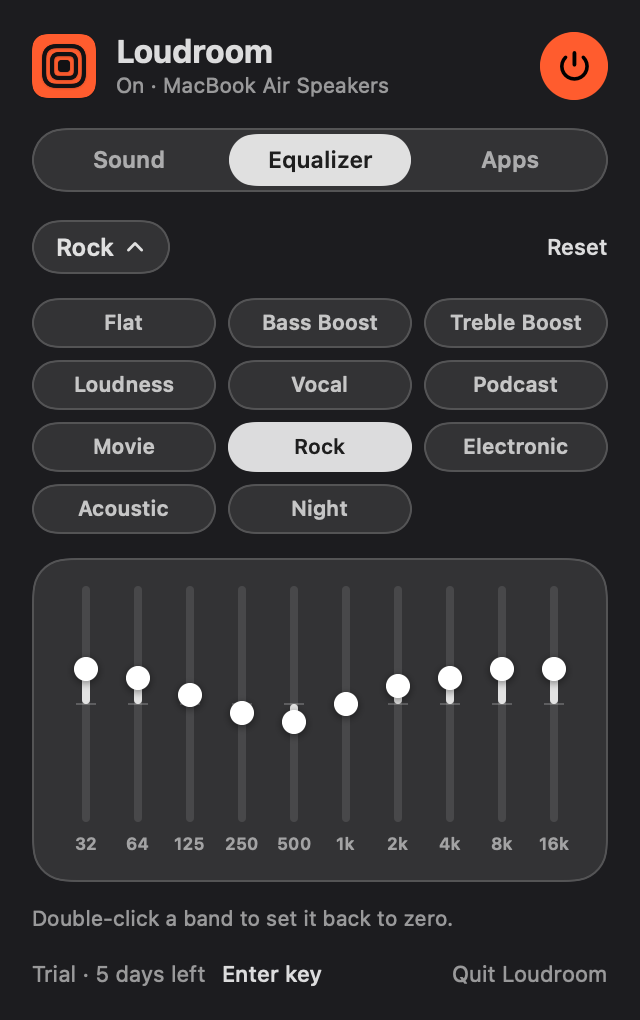
One tap on Bass Boost lifts the low end so kicks and basslines land. Or pick Electronic, Rock or Loudness, eleven presets in all.

400%

Way past the limit

Push volume up to four times the system maximum. A built-in limiter keeps loud moments from clipping.

3D

A wider stage

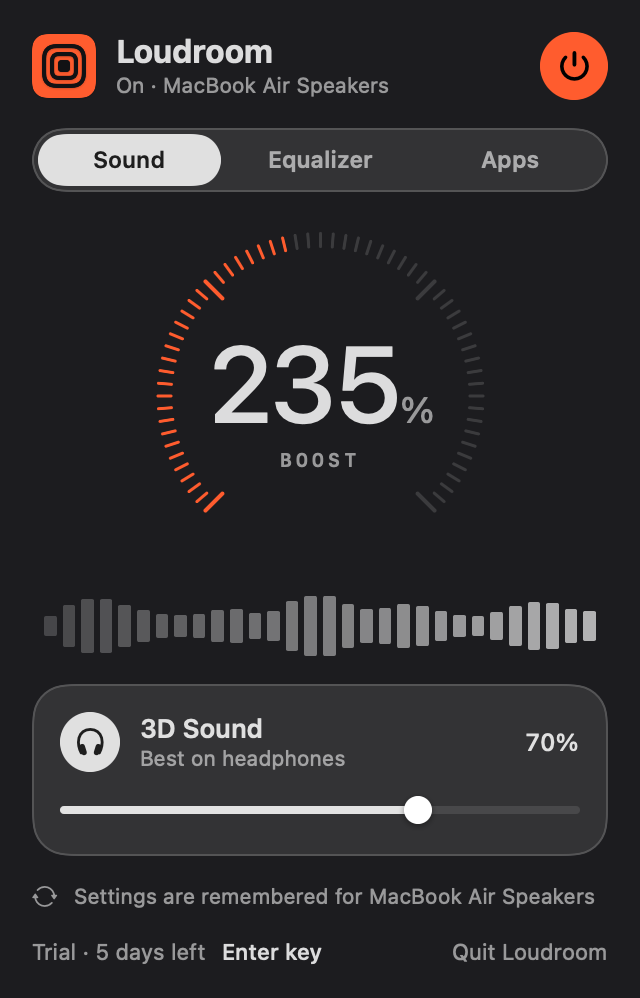
Spreads the sound out around you. Best on headphones, with one slider for how much.

10

Bands to shape it

A full equalizer from 32 Hz to 16 kHz when you want to tune the sound yourself.

0–200

Volume per app

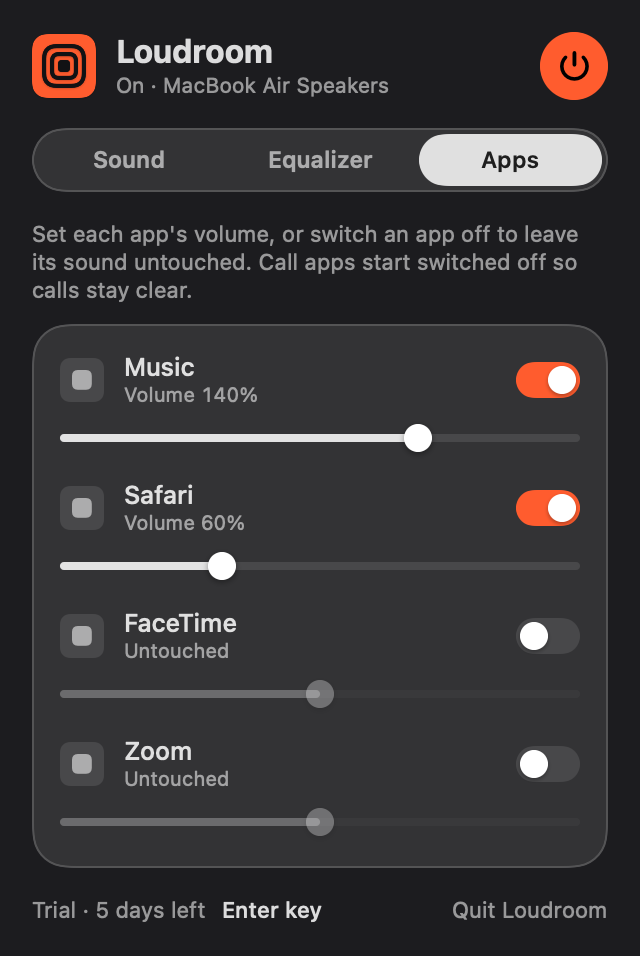
Music up, video down. Every app that plays sound gets its own slider.

∞

Remembers your gear

Speakers, headphones and monitor each keep their own settings, and a new output always starts at a safe 100%. Zoom, Teams and FaceTime are left alone so calls stay clear.

Fifteen seconds

Flat, then not.

Equalizer on, volume to 400%, 3D sound. Three moves, and it works on everything your Mac plays.

The app

One click in the menu bar.

The Loudroom panel with the boost dial at 235% and 3D sound switched on
Boost and 3D sound
The equalizer tab showing presets and ten bands
Equalizer and presets
The apps tab with a volume slider and a switch for each app
A slider for every app
Price
$9.99

Pay once. Keep it.

Try everything free for 7 days. No subscription, no account.

Questions

Good to know.

Does it work with Spotify, Apple Music and YouTube?
Yes. Loudroom works on the sound your Mac plays, whichever app it comes from: music apps, browsers, games and films.
Why does macOS ask for permission to record audio?
To change the sound, Loudroom has to receive it first, and macOS asks before any app can do that. Loudroom processes the sound as it plays. Nothing is recorded or saved.
Does it install a driver?
No. Loudroom uses the audio features built into macOS 14.2 and later. Quit the app and your sound is exactly as it was.
What happens when the trial ends?
Boost and 3D sound pause, and your Mac plays at its normal volume. The equalizer still works. Enter a licence key in the app to switch everything back on.
Can boosting damage my speakers or hearing?
Very loud sound can do both. Raise the boost gradually, and keep it modest on headphones.